You've probably seen one: a messy string of letters and numbers like 1A1zP1eP5QGefi2DMPTfTL5SLmv7DivfNa (that's the first Bitcoin address ever, by the way). It looks like gibberish. It feels fragile. Send your hard-earned Bitcoin to the wrong one and poof—it's gone forever, right?
That fear stops a lot of people. I get it. I've been there, hovering over the "Send" button, sweating bullets.
But after a decade of using this stuff, I can tell you a Bitcoin address is just a destination label. Understanding it removes 90% of the anxiety around moving crypto. This isn't about complex cryptography; it's about knowing where to click, what to copy, and what mistakes to avoid like the plague.
Let's break it down without the jargon.
What's in this guide?
What a Bitcoin Address Really Is (The Simple Version)
Think of your Bitcoin address as your public mailbox on the internet. It has a unique label (the address itself). Anyone who knows the label can drop a letter (send Bitcoin) into it. They can also look through the glass and see how many letters are inside (check the balance).
But only you, with your unique physical key (your private key), can open the mailbox and take the letters out (spend the Bitcoin).
That's the core idea. Public label for receiving, private key for spending.
Key Point: Your address is derived from your public key, which is derived from your private key. It's a one-way process. You can generate a public address from a private key, but you can never reverse-engineer the private key from the public address. This is the magic that makes it secure.
The string itself isn't random. It's encoded data that includes a checksum—a built-in error-detection system. If you mistype a character, the checksum will fail, and your wallet will likely warn you the address is invalid. This catches most typos, but not all. More on that later.
The 3 Main Types of Bitcoin Addresses (And Which One You Should Use)
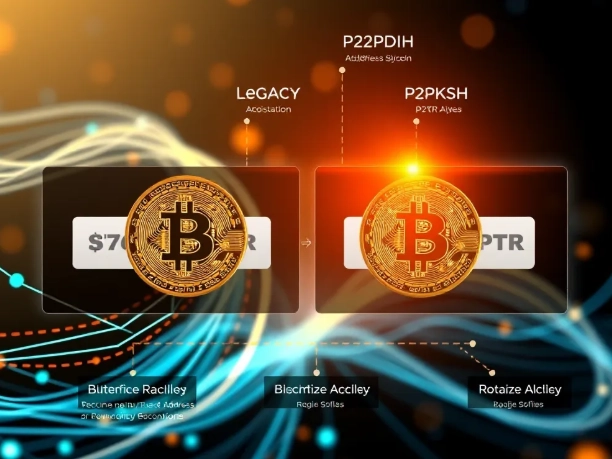
This is where it gets slightly technical, but stick with me. Bitcoin has evolved, and so have its addresses. Using the newer types saves you money.
Here’s the breakdown:
| Type (Common Name) | Format (Starts With) | What It Means For You | My Recommendation |
|---|---|---|---|
| Legacy (P2PKH) | 1... |
The original. Universally supported, but has higher transaction fees. | Avoid for new transactions. Only use if you must send to an old system that doesn't support newer formats. |
| SegWit (Bech32) | bc1q... |
The current standard. Enables lower fees and better security. Widely supported. | Use this one. It's the default in most modern wallets (like Exodus, BlueWallet). |
| Taproot (Bech32m) | bc1p... |
The newest. Enables even more complex features and efficiency. Support is growing. | Good for future-proofing. Use if your wallet and the recipient's wallet support it. |
The biggest practical difference is in the fees. A SegWit (bc1q) transaction can be 30-50% cheaper than a Legacy (1) transaction. That adds up.
A subtle mistake I see: people panic when they see a bc1 address because it looks "new and weird." They ask the sender for a "normal" address (a 1 address) and end up paying more. Don't do that. bc1 is better.
How to Use Your Address: A Step-by-Step Walkthrough
Let's get practical. Where is this thing, and how do you use it?
1. Finding Your Receive Address
Open your wallet app. Look for a big button that says "Receive" or "Deposit." Not "Send." Click it.
Your wallet will display:
- The address string: A long alphanumeric code.
- A QR code: A square black-and-white barcode.
That's it. You don't need to memorize it. You just need to share it when you want someone to pay you.
Most wallets will generate a new address for you automatically every time you click "Receive." This is for privacy. You can still receive funds to old addresses you've used—they all connect to your wallet's private key. But using a fresh one each time makes it harder for someone to track all your transactions.
2. Sending to an Address
This is the nerve-wracking part. You click "Send," and there's a field asking for the "Recipient Address" or "Destination."
Here’s my non-negotiable process:
- Get the address. Have the recipient send it to you via text, email, or their website.
- Copy-Paste AND Verify. Use copy-paste. Never type it manually. After pasting, visually check the first 4 characters and the last 4 characters against what the sender gave you. If they match, the middle is almost certainly correct.
- Use the QR code if you can. If you're sending from a phone to a phone, or from a computer with a webcam, scanning the QR code is the safest method. It eliminates the copy-paste step entirely.
- Send a test transaction. If it's a large amount or a new recipient, send a tiny, minimal amount first (like $5 worth). Wait for it to confirm on the blockchain (you can check on a block explorer like mempool.space). Once it shows up in their wallet, send the rest.
Let me be clear: never share your private key or seed phrase. Ever. A legitimate service will never ask for it. Your receive address is public and safe to share. Your private key is the key to your vault and must stay secret.
Security & The Mistakes Everyone Makes Once
Beyond the basic "don't lose your key," here are the nuanced errors that catch experienced users too.
Mistake 1: Assuming all bc1 addresses are the same. Remember the table? bc1q (SegWit) and bc1p (Taproot) are different. Sending Bitcoin from a wallet that only understands bc1q to a bc1p address might fail if the sending wallet isn't updated. Always confirm the recipient's full address format.
Mistake 2: Not checking the network. This is a huge one. Bitcoin has a test network (testnet) with addresses that look real but start with tb1 or m/n. Sending real Bitcoin (mainnet) to a testnet address will destroy it. Exchanges and wallets are usually good about this, but double-check when withdrawing from a new platform.
Mistake 3: Relying 100% on the checksum. The checksum catches typos, but it can't catch a malicious address swap from malware. If you copy an address, malware on your computer can replace your clipboard contents with a hacker's address that has a valid checksum. Always verify the address after pasting, especially the first/last few chars.
I learned this one the hard way years ago with a smaller altcoin. Lost the whole transfer. Now I'm paranoid about verification.
A Real-World Example: Sending $50 in BTC to a Friend
Let's walk through a scenario so you can see the flow.
My friend Sarah wants to split dinner. She owes me $50 in Bitcoin.
- I open my wallet (say, Exodus on my desktop). I click the "Receive" button.
- My wallet shows a SegWit address:
bc1qxy2kgdygjrsqtzq2n0yrf2493p83kkfjhx0wlhand a QR code. - I send her the QR code in a messaging app. I also paste the text address as a backup.
- Sarah opens her phone wallet (like Trust Wallet). She clicks "Send."
- She points her phone's camera at my QR code. The address field populates automatically.
- She enters the amount: $50 worth of BTC. Her wallet shows the equivalent in BTC (e.g., ~0.0012 BTC) and estimates the network fee (maybe $1.50).
- She double-checks the first four chars (
bc1q) and last four chars (0wlh) on her screen against what I sent. They match. - She hits "Send." A minute later, I get a notification. The transaction is pending. We check mempool.space with the transaction ID (txid) her wallet provided. We see it waiting in the "mempool."
- About 10 minutes later, after one confirmation, the balance updates in my wallet. Done.
The entire process hinges on that address string being transmitted correctly. The QR code makes it foolproof.
Your Questions, Answered
So, there you have it. A Bitcoin address isn't a magical incantation. It's a tool. A destination. By understanding the different types, knowing where to find yours, and following a disciplined process for sending, you can move Bitcoin with confidence, not fear.
Start with a small test. Send $5 to yourself between two of your own wallets. Go through the steps. See how it feels. That hands-on experience is worth more than any article.
Reader Comments