Let's cut to the chase. You're here because you've heard about Monero (XMR), the privacy-focused cryptocurrency, and the idea of mining it has piqued your interest. Maybe you're tired of the transparent nature of Bitcoin's blockchain, or you've got a spare computer and wonder if it can make you some money. Good news: Monero mining is one of the most accessible ways left to get into crypto mining without specialized, expensive hardware. But it's not just about running a program. To do it right—to actually see a profit and support the network effectively—you need to understand the nuances that most beginner guides gloss over. I've been around this block for years, and I'll show you where newcomers typically waste money and time.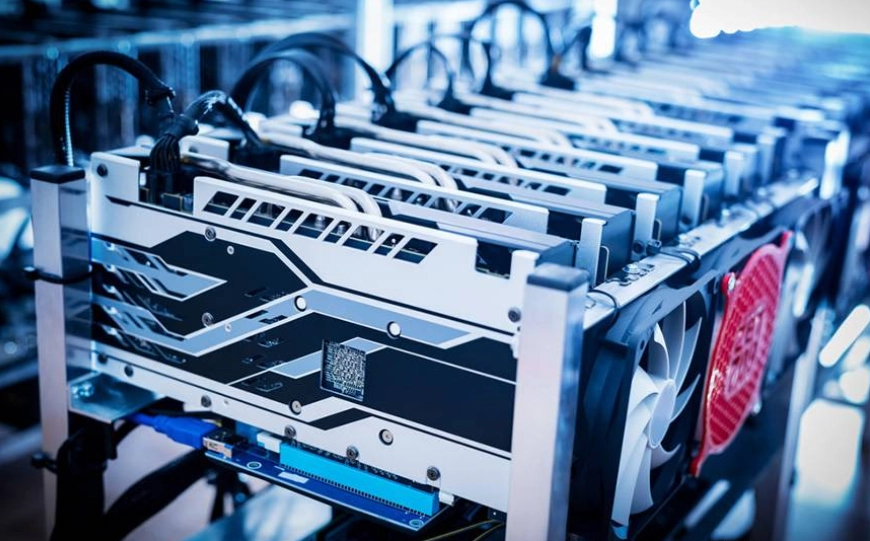
What You'll Learn Inside
Why Mine Monero Instead of Other Coins?
Forget everything you know about Bitcoin mining for a second. Monero is built differently, and that's its biggest strength for the little guy. The core is its RandomX algorithm. Designed to be ASIC-resistant, it favors general-purpose CPUs. This was a deliberate, philosophical choice by the Monero community to keep mining decentralized. While Bitcoin mining is dominated by massive farms with specialized ASIC miners, Monero's network is secured by people like you and me, using the computers we already own.
The other half of the equation is privacy. Every Monero transaction is private by default—amounts, sender, and receiver are all obfuscated. By mining Monero, you're not just earning a coin; you're actively supporting a financial privacy tool that has real-world utility. It feels different from mining something just for speculative value.
CPU vs. GPU: Picking Your Mining Hardware
This is your first major decision. RandomX loves fast cache and memory performance, which modern CPUs excel at. GPUs can still work, but their advantage has shrunk dramatically.
The CPU Champion: AMD Ryzen Series
If you're buying hardware specifically for Monero, AMD Ryzen CPUs (especially the ones with large L3 cache) are the undisputed kings. The Ryzen 9 7950X or the Ryzen 7 5800X3D are absolute beasts. Why? Cache. RandomX constantly shuffles data, and a big CPU cache acts like a super-fast desk drawer, keeping everything the algorithm needs close at hand. More cache means less time waiting on slower RAM, which means more hashes per second.
Can You Use a GPU?
Yes, but manage expectations. NVIDIA and AMD cards can mine Monero, but their performance-per-dollar and performance-per-watt often lag behind a good CPU. A high-end GPU might get you similar hash rates to a mid-tier CPU while consuming more power. It's only really worth considering if you already have a gaming rig running 24/7 and want to mine in the background. Don't buy a new GPU just for Monero.
| Hardware Type | Example Model | Approx. Hashrate (H/s) | Power Draw (Watts) | Best For |
|---|---|---|---|---|
| High-End CPU | AMD Ryzen 9 7950X | ~21,000 | ~180W (at wall) | Dedicated mining rig, maximum profit |
| Efficient CPU | AMD Ryzen 7 5800X3D | ~15,500 | ~110W | Great balance of cost and performance |
| Older CPU | Intel Core i7-9700K | ~5,500 | ~120W | Testing, learning, using existing hardware |
| High-End GPU | NVIDIA RTX 4080 | ~21,000 | ~320W | Gamers mining on the side (inefficient for solo purchase) |
Your Step-by-Step Mining Setup Guide
Let's get your hands dirty. I'll walk through a CPU mining setup on Windows, which is the most common starting point.
1. Get a Monero Wallet
This is non-negotiable. You need an address to receive your mined XMR. Do not use an exchange address (like Binance or Kraken) for mining. Many pools will reject it, and exchanges can change your deposit address, causing you to lose funds. Use the official Monero GUI Wallet or the CLI wallet. Set it up, write down your 25-word seed phrase on paper—not digitally—and store it safely. Your wallet address starts with a '4' or '8'.
2. Choose a Mining Pool
Solo mining is a lottery ticket with astronomical odds. You join a pool where everyone combines their hashrate, and you share the rewards based on your contribution. Pools charge a small fee (typically 0.5-1%). Some reliable pools include:
- SupportXMR: User-friendly, great for beginners.
- MoneroOcean: Interesting because it can auto-mine the most profitable coin (based on their algorithm) and pay you in XMR, potentially boosting earnings.
- Nanopool: Larger pool with consistent payouts.
Pick one with a ping/latency that's good for your region and a minimum payout threshold you're comfortable with.
3. Download and Configure the Miner Software
For CPU mining, XMRig is the standard. It's open-source, highly optimized, and trusted. Download it from the official XMRig GitHub page. You'll get a ZIP file. Extract it to a folder, say C:\MoneroMining.
Inside, you'll find a config.json file. The easiest way to configure it is to use a pool's configuration wizard (like the one on SupportXMR's website). It will generate a JSON snippet or a command for you. Essentially, you need to tell XMRig:
- The pool's address and port.
- Your Monero wallet address.
- A worker name (like "PC01").
Save the config file. Run the xmrig.exe file as Administrator (it needs this for optimal CPU tuning). If you see lines scrolling with 'accepted' messages, you're mining.
Profitability: The Cold, Hard Math
This is where dreams meet reality. Your profit is: (Earnings from XMR) minus (Cost of Electricity).
First, find your hashrate (shown in XMRig). Let's say you have a Ryzen 7 5800X3D getting 15,500 H/s. Go to a calculator like CryptoCompare's mining calculator or WhatToMine. Input your hashrate, power draw in watts (measure it at the wall with a Kill-A-Watt meter for accuracy—don't trust TDP!), and your electricity cost per kWh (check your utility bill).
A brutal truth: In many parts of the world with high electricity costs (think over $0.15/kWh), mining with anything but the most efficient hardware will lose money. The calculator will show you a daily or monthly XMR estimate and the dollar value. If the dollar value of the XMR is less than your electricity cost, you're operating at a loss. You're banking on the future price of XMR increasing to cover it.
This is why so many home miners quit. They don't do this math first.
The Risks and Challenges Nobody Talks About
It's not all passive income. Here’s the gritty stuff.
Heat and Wear: Running your CPU at 100% load 24/7 generates heat. This can shorten its lifespan if your cooling isn't excellent. Keep it clean and ensure good case airflow. Laptop mining? Just don't. You'll thermal throttle immediately and likely cook it.
Noise: Fans spinning at full speed are loud. That mining rig in your bedroom might become unbearable.
ISP and Power Company Policies: Some ISPs might flag constant, high-volume traffic to a mining pool port. It's rare, but it happens. More likely, a sudden, sustained spike in your home's power draw could trigger questions from your utility provider.
The Tax Headache: In many jurisdictions, mined cryptocurrency is considered taxable income at the fair market value the moment you receive it. Then, if you sell it later, you have a capital gain or loss. Tracking this for small, daily pool payments is an accounting nightmare. Be aware.
Mining Monero: Your Questions Answered
 Can I mine Monero on a VPS or cloud server?
Reader Comments