Quick Navigation
- What Is Crypto Mining, Really? (And Should You Even Bother?)
- The Heart of the Machine: Choosing Your Hardware
- Putting It All Together: Your Step-by-Step Build Guide
- The Digital Side: Software, Wallets, and Pools
- The Million-Dollar Question: Will You Make Money?
- Keeping the Wheels Turning: Maintenance & Optimization
- Honest Talk: Risks, Drawbacks, and Annoyances
- Your Questions, Answered (FAQ)
Let's cut to the chase. You've heard about crypto mining, maybe seen some videos, and now you're wondering if you can do it too. The idea of your computer making money while you sleep is pretty enticing, right? I was in your shoes a few years back, scrolling through forums, overwhelmed by jargon like hash rates and overclocking.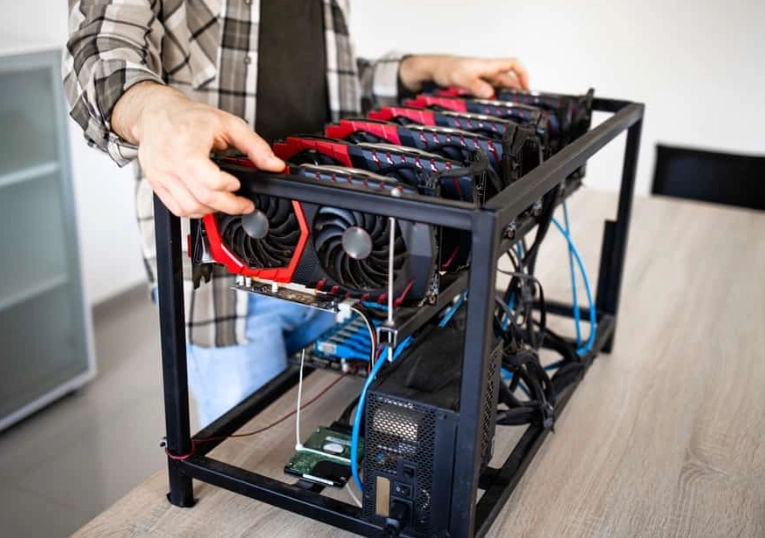
Building a crypto mining rig for beginners isn't about getting rich overnight. Anyone promising you that is selling something. It's a technical hobby with the potential for profit, but it's also a project that requires upfront cash, patience, and a willingness to learn. This guide is for the absolute beginner who wants the full picture—the good, the bad, and the noisy. We'll walk through what mining is in plain English, bust some myths, and I'll show you exactly how to piece together your first machine, step-by-step. No computer science degree required.
What Is Crypto Mining, Really? (And Should You Even Bother?)
Forget the complex textbook definitions. In simple terms, mining is the process that keeps a cryptocurrency network running. Computers (miners) solve ridiculously difficult math problems to validate transactions and add them to the public ledger, called the blockchain. As a reward for this work, the network gives the miner new coins. It's a way to earn cryptocurrency without buying it on an exchange.
But here's the critical question for 2024: is building a crypto mining rig for beginners still worth it? The answer isn't a simple yes or no.
Mining today is largely about alternative coins (altcoins) using GPUs, or specialized Bitcoin mining with ASIC machines. The profit now comes from a mix of factors: the price of the coin you're mining, your electricity cost (this is huge), the efficiency of your hardware, and plain old luck. You're not guaranteed a fixed income. It's more like running a small business where your costs are electricity and hardware wear-and-tear.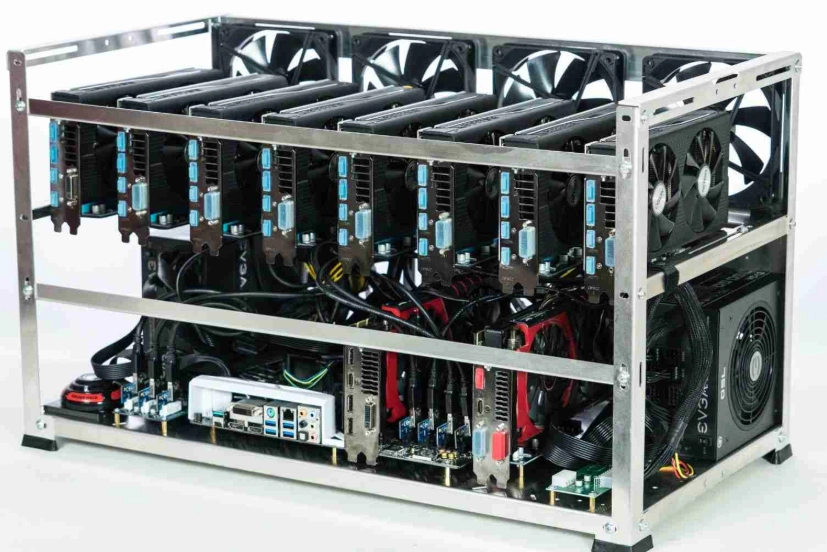
So, should you bother? If you're curious about technology, don't mind a project that might take weeks to dial in, and have access to cheap electricity (think below $0.12 per kWh), then yes, it can be a fascinating and potentially rewarding venture. If you're looking for a quick, passive cash machine with zero effort, look elsewhere. A crypto mining rig for beginners is a hands-on project.
The Heart of the Machine: Choosing Your Hardware
This is where most guides throw a confusing list of parts at you. Let's break it down by function. Think of your mining rig as a team. You need a brain, muscles, a skeleton, power, and a way to stay cool.
The Brain: Motherboard, CPU, RAM & Storage
These parts don't do the actual mining, but they run the show. You don't need the latest and greatest here. In fact, going cheap is smart.
- Motherboard: This is your rig's backbone. For a GPU mining rig, you need one with multiple PCIe slots (the ports where graphics cards plug in). Mining-specific motherboards exist, but a used gaming motherboard with 6+ PCIe slots works perfectly. Brands like ASUS, ASRock, and Gigabyte are reliable. I snagged a used one off eBay for half the price.
- CPU (Processor): Any basic, low-power CPU will do. An Intel Celeron or AMD Athlon is more than enough. Don't waste money on an i7 or Ryzen 7; that power is useless for mining.
- RAM (Memory): 4GB to 8GB is plenty. Mining software is lightweight. I've run rigs on 4GB without a hiccup.
- Storage: A 120GB or 240GB SSD is ideal. It's fast for booting the operating system and cheap. You can even use a USB drive, but an SSD is more reliable.
The Muscles: GPU vs. ASIC - The Big Choice
This is your most important decision and biggest cost. The mining hardware does the actual number-crushing work.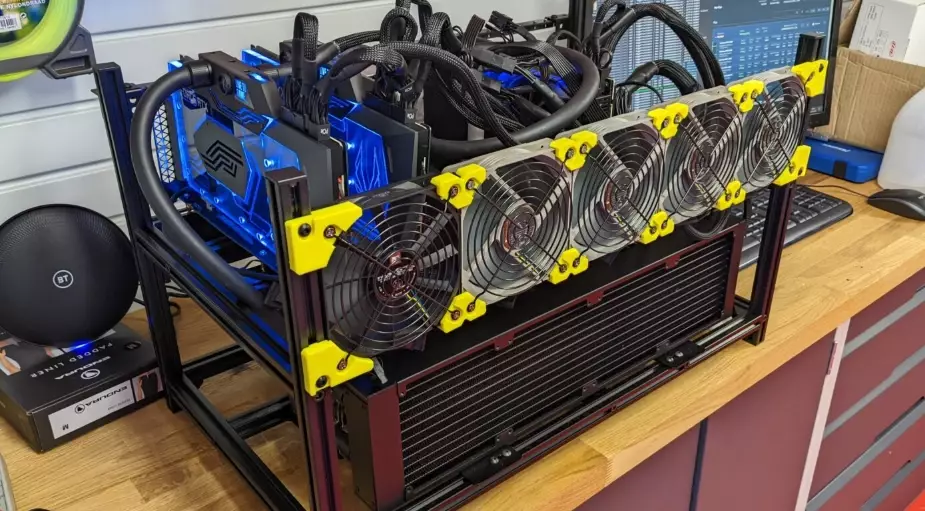
GPU Mining (Graphics Cards): This is the classic route for a beginner's crypto mining rig. You use consumer graphics cards, the same ones gamers buy. Their big advantage is flexibility. If mining becomes unprofitable, you can sell the cards to gamers, use them for other tasks, or switch to mine a different coin. They're also easier to find and set up at home.
ASIC Mining (Application-Specific Integrated Circuit): These are machines built for one purpose: to mine a specific cryptocurrency (like Bitcoin or Litecoin) as fast and efficiently as possible. They are incredibly powerful but also expensive, loud, and generate a lot of heat. You can't use them for anything else. For a true beginner, I generally advise against starting with an ASIC unless you have a dedicated, well-ventilated space (like a garage or basement) and a very clear understanding of your electricity costs.
For building your first crypto mining rig for beginners, GPUs are the more forgiving and educational path. Let's look at some solid GPU choices. Performance isn't just about raw speed; efficiency (hash rate per watt) is king because it lowers your electricity bill.
| GPU Model | Best For Mining (Example) | Why It's a Good Pick for Beginners | The Catch |
|---|---|---|---|
| NVIDIA RTX 3060 Ti / 3070 | Ravencoin (RVN), Ergo (ERG) | Great balance of efficiency, availability, and resale value. Widely supported by mining software. | Can be pricey on the new market. A used one from a trusted seller can be a great deal. |
| AMD RX 6600 / 6600 XT | Kawpow (RVN) & Ethash-based coins | Often more affordable than NVIDIA counterparts. Very power-efficient, which helps the bottom line. | Software setup can be a tiny bit more fiddly than NVIDIA for absolute newbies. |
| NVIDIA GTX 1660 Super | Older algos, lower power coins | Low upfront cost, very low power draw. A fantastic card to learn on with minimal risk. | Older generation. Won't have the highest hash rates, but its efficiency is legendary. |
The Skeleton, Power, and Cooling
Frame: You need something to mount everything on. Mining rig frames are cheap, open-air metal racks that promote great airflow. You can buy one online for $50-$80 or, if you're handy, build one from wood or aluminum extrusion. Don't put your expensive parts in a closed computer case; they'll overheat.
Power Supply Unit (PSU): This is non-negotiable: do not cheap out on the PSU. A failing PSU can kill all your other components. You need a unit with enough wattage to handle all your GPUs with room to spare. A good rule is to calculate your total GPU power draw and add 20%. Also, ensure it has enough PCIe power cables (6+2 pin) for all your cards. Brands like Corsair, EVGA, and Seasonic are trusted. For larger rigs, consider a server PSU with a breakout board—they're more efficient but noisier.
Cooling: Your open frame will help, but you still need airflow. A couple of cheap, high-airflow case fans mounted to blow air across the GPUs make a massive difference. I zip-tied mine to the frame. A cool rig is a stable, efficient, and long-lasting rig.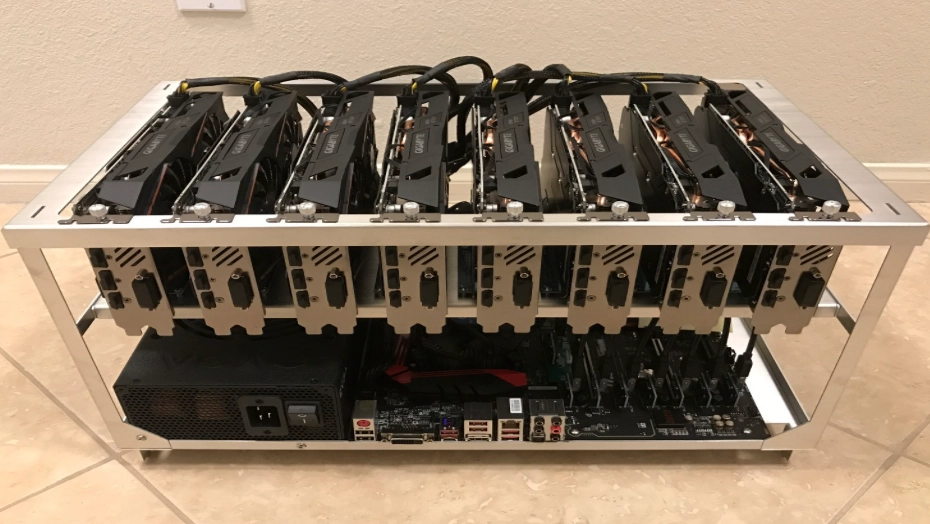
Putting It All Together: Your Step-by-Step Build Guide
Alright, you've got the parts. Now for the fun (and sometimes frustrating) part. Let's build. I'll walk you through the process I use, which minimizes the chance of frying something.
First, install the CPU, CPU cooler, and RAM onto the motherboard while it's on its box. This is much easier than doing it in the cramped frame.
Next, place the motherboard into the frame or on your test surface. Connect the front panel power switch cables from the frame (if it has one) to the motherboard. The manual is your best friend here—the tiny pins are labeled.
Now, install the PSU. Connect the 24-pin motherboard power cable and the 8-pin CPU power cable. Don't plug it into the wall yet.
Here's where you install just one GPU. Plug it into the primary PCIe slot (usually the top one). Connect the necessary PCIe power cables from the PSU to the GPU. Connect your monitor to this GPU.
Connect your SSD and plug in the SATA power and data cables.
Take a deep breath. This is the moment of truth. Plug in the PSU and turn on the power. Use a screwdriver to briefly touch the two motherboard power switch pins to start it. If all goes well, you'll see the BIOS screen on your monitor. If you get fans spinning but no display, don't panic. Double-check every cable connection, especially RAM seating. Building a crypto mining rig for beginners is a puzzle; troubleshooting is part of the game.
Once you get a successful boot with one GPU, power down. Now install your remaining GPUs into the other PCIe slots. You'll need PCIe riser cables—these let you mount the cards vertically on the frame for better airflow. Connect each riser to a PCIe slot and provide it with power via a molex or SATA cable (check your riser's instructions). Then connect the main PCIe power cables to each GPU itself. Be meticulous with power connections. A loose cable means a non-working card.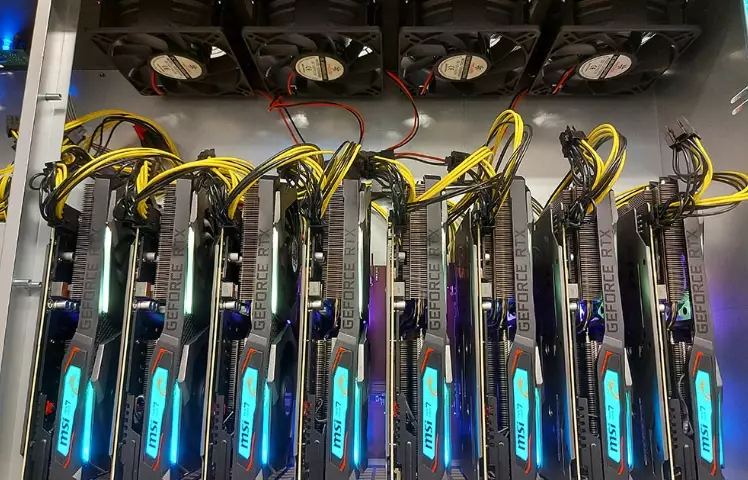
The Digital Side: Software, Wallets, and Pools
Hardware is just a fancy paperweight without software. This section is crucial.
Operating System: You have two main choices. Hive OS is a Linux-based OS built specifically for mining. It's incredibly powerful, allows remote monitoring and management from your phone, and supports a vast array of hardware and coins. For a multi-GPU setup, it's almost a no-brainer and is free for your first rig. The alternative is Windows, which feels more familiar but is less stable for mining long-term and uses more system resources.
Mining Software: This is the program that actually tells your hardware what math problems to solve. Popular choices include T-Rex Miner (for NVIDIA), TeamRedMiner (for AMD), and GMiner. You'll download the software and edit a simple configuration file (a .bat file) with your details.
Crypto Wallet: Before you mine a single coin, you need a wallet address to get paid. This is your bank account number on the blockchain. Never use an exchange address (like Coinbase) for mining payouts. Exchanges change deposit addresses, and you could lose your coins. Use a dedicated software wallet like Exodus or a hardware wallet like Ledger for maximum security. Your wallet address goes into that mining software config file.
Mining Pool: Solo mining is like buying a single lottery ticket—your odds of winning a block reward are tiny. A mining pool combines the power of thousands of miners. When the pool wins a block, the reward is split among participants based on the work they contributed. It provides smaller, but steady and predictable, payouts. For Ravencoin, check out 2Miners. For Ergo, GetBlok is a popular choice. Research pools for your chosen coin; look for low fees, good reliability, and a user-friendly website.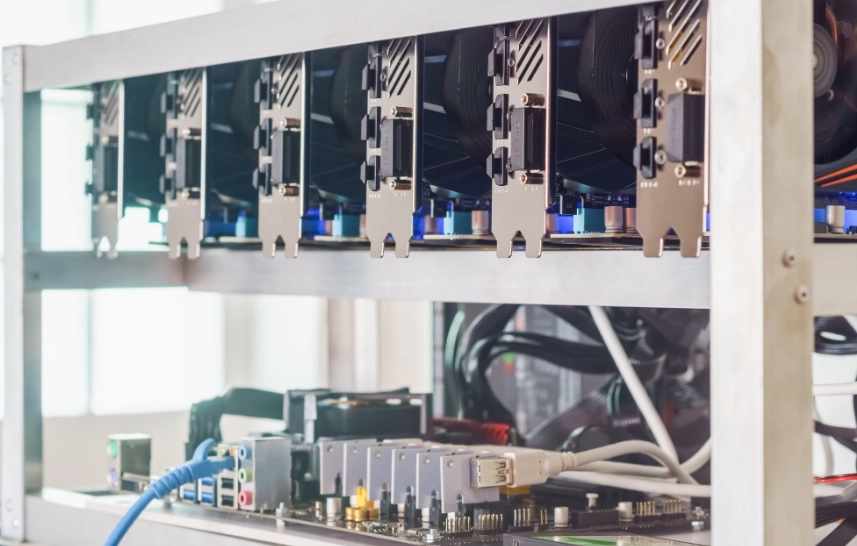
The Million-Dollar Question: Will You Make Money?
Let's talk numbers, because hope isn't a strategy. Profitability is not static. It swings daily with coin price and network difficulty (how hard the math problems are).
You must use a profitability calculator before you spend a dime. Sites like WhatToMine are your new best friend. You input your hardware, electricity cost, and it estimates your daily profit.
Here's a simplified, realistic example for a beginner's rig:
- Rig: 6 x NVIDIA RTX 3060 Ti GPUs.
- Total Hash Rate: ~180 MH/s on the Kawpow algorithm (mining Ravencoin).
- Total Power Draw at the Wall: ~780 Watts (after proper undervolting).
- Your Electricity Cost: $0.10 per kWh.
Plugging this into a calculator (as of mid-2024) might show a daily profit of $1.50 - $3.00, after subtracting electricity costs. That's $45 - $90 per month.
This is the reality. Mining in 2024 is about efficiency, scale, and very cheap power. The goal for your first crypto mining rig for beginners shouldn't be quitting your job. It should be learning the technology, securing a small, decentralized income stream in crypto, and maybe having fun with a tech project. Any profit is a bonus. If the coin's price rises significantly in the future, your mined coins become more valuable—that's the long-term bet miners make.
Keeping the Wheels Turning: Maintenance & Optimization
Your rig is built and humming. The work isn't over. A neglected rig is an unprofitable or dead rig.
Daily/Weekly: Check on it remotely (thank you, Hive OS!). Look for any GPUs that have gone offline or are reporting errors. Monitor temperatures. Ideal GPU core temps are between 50-65°C, and memory junction temps (critical for mining) should ideally stay under 95°C for long-term health.
Monthly: Power down and physically clean the rig. Dust is an insulator and will cause overheating. Use compressed air to blow out the heatsinks on the GPUs, the fans, and the PSU. Check all cable connections for snugness.
Optimization - The Secret Sauce: This is where you go from a miner to a good miner. Stock GPU settings are for gaming, not 24/7 mining. You need to undervolt and tweak settings using software like MSI Afterburner (Windows) or directly in Hive OS.
- Lower Power Limit: Reduce the GPU's maximum power draw. A 3060 Ti can often mine just as fast at 130W as it does at 200W.
- Adjust Core & Memory Clocks: Typically, you lower the core clock slightly and increase the memory clock. This varies for every card model and algorithm. You must test for stability.
Honest Talk: Risks, Drawbacks, and Annoyances
I'd be doing you a disservice if I didn't lay out the downsides.
Noise: A multi-GPU rig with fans running at 70% sounds like a hairdryer or a small jet engine. You cannot run this in your living room or bedroom if you value sleep or sanity. Basement, garage, spare room—these are your friends.
Heat: That 800W of power doesn't disappear. It turns into heat. In the summer, your mining room will become a sauna. You might need additional ventilation or even a dedicated air conditioner, which kills your profits.
Fire Risk: Poor-quality riser cables, overloaded power strips, or faulty PSUs can cause fires. Always use quality components, don't daisy-chain too many PCIe power cables, and never run power cables under carpet. Have a fire extinguisher nearby. Seriously.
Cryptocurrency Volatility: The coin you're mining could drop 30% in value next week. Your "profit" in dollar terms vanishes. You have to be comfortable with this rollercoaster.
Hardware Depreciation: Your shiny new GPU loses value the second you start using it. The next generation of more efficient cards is always around the corner.
Your Questions, Answered (FAQ)
Building your first crypto mining rig is a journey. It's equal parts electronics project, economics experiment, and patience test. You won't get everything right the first time. I certainly didn't. I bought the wrong PSU, set a fan curve wrong and cooked a card's thermal pads, and spent hours debugging a faulty riser.
But when you finally see your rig stable, hashing away, and that first tiny payout hits your wallet, it's a fantastic feeling. You've built a real piece of infrastructure for a decentralized network. You understand how it works from the silicon up. That knowledge, in my opinion, is just as valuable as any potential profit. Start small, do the math, manage your risks, and most importantly, enjoy the process of building something with your own hands.
Reader Comments