You log into Binance. You check your Coinbase app. You peek at your MetaMask wallet. Three different numbers, three different feelings. What's your actual net worth in crypto right now? If you're adding figures in your head or a messy spreadsheet, you're doing it wrong. A crypto portfolio tracker is the single tool that turns that chaos into clarity.
I remember the first time I tried to calculate my taxes without one. It was a nightmare of CSV exports and conflicting timestamps. That experience, frankly, was what pushed me from being a casual buyer into someone who takes portfolio management seriously.
What You'll Learn in This Guide
- What a Crypto Portfolio Tracker Actually Does (Beyond the Basics)
- Key Features Breakdown: The 5 Non-Negotiables
- How to Choose Your Tracker: A Simple Decision Framework
- Top Trackers Reviewed: Strengths, Weaknesses & Best For
- Pro Tips for Setup & Avoiding Common Pitfalls
- Your Burning Questions Answered
What a Crypto Portfolio Tracker Actually Does (Beyond the Basics)
Everyone says it aggregates your balances. That's the kindergarten version. A good tracker is your financial command center. It takes fragmented data from centralized exchanges (like Kraken or Crypto.com), self-custody wallets (MetaMask, Ledger), and even DeFi protocols, and normalizes it into one coherent picture.
Think about it. The price of ETH on Coinbase Pro might be $3,210. On Uniswap, it's $3,205. Your tracker uses an aggregate price feed from sources like CoinGecko to give you one unified value for your ETH, no matter where it sits.
But the real magic is in the performance analytics. It's not just "you have 1 BTC." It's "you bought that 0.5 BTC at $28,000 and the other 0.5 at $40,000, so your average cost basis is $34,000, and here's your unrealized gain in dollars and percentage." This is information your exchange alone will never give you clearly.
The Expert Angle: Most beginners underestimate the importance of transaction history integrity. A tracker that only shows your current balance is practically useless for taxes or understanding performance. The tool's primary job is to build an accurate, immutable ledger of every buy, sell, transfer, and reward you've ever received.
Key Features Breakdown: The 5 Non-Negotiables
Not all trackers are built the same. When you're evaluating options, these are the features that separate the toys from the tools.
1. Breadth of Connections (API & Wallet Support)
Can it connect to everywhere you have crypto? This is the first hurdle. Top trackers support 50+ exchanges and all major blockchain networks (Ethereum, Solana, BSC, Polygon, etc.). The connection is usually via read-only API keys for exchanges (safe, no withdrawal rights) and public wallet addresses for blockchains.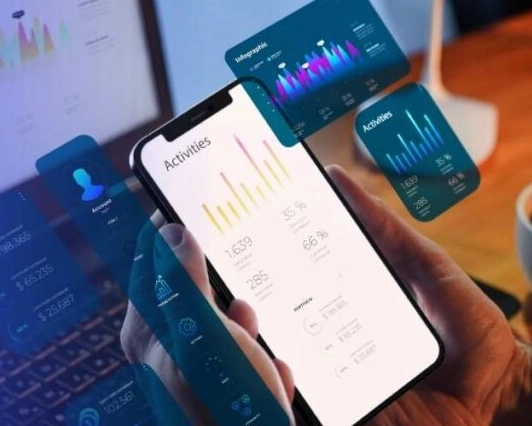
A subtle point everyone misses: check if it supports staking and DeFi positions. Can it see your staked ETH on Lido? Your USDC in an Aave lending pool? Your liquidity provider tokens? If you're active in DeFi, this is non-negotiable.
2. Tax Reporting Capabilities
This is the killer app. Come tax season, you need reports compatible with your country's rules (like FIFO, LIFO, or HIFO cost basis methods). The best trackers generate comprehensive tax documents, often with one-click integration to platforms like Koinly or TaxBit. I view the tax feature not as a convenience, but as a financial necessity that pays for the tool itself in saved accountant fees and sanity.
3. Performance Analytics & Customization
Beyond total balance, look for:
- Allocation by asset, sector, or chain: Are you 80% in DeFi tokens? That's risk data you need.
- Historical portfolio charting: See your net worth trajectory over time.
- Realized vs. Unrealized P&L: Know what you've actually cashed out versus paper gains.
4. Security & Privacy Model
Where is your data stored? Some trackers are cloud-only, some offer local/encrypted storage. Do they sell your aggregated data? Read the privacy policy. I have a mild preference for tools that let me control my encryption keys, but the convenience of cloud syncing across devices is hard to beat for most people.
5. User Experience & Alerts
A clunky interface means you won't use it. It needs to be fast and intuitive. Price alert functionality is also crucial—being able to set alerts for your portfolio's total value dropping by a certain percentage is a game-changer for risk management.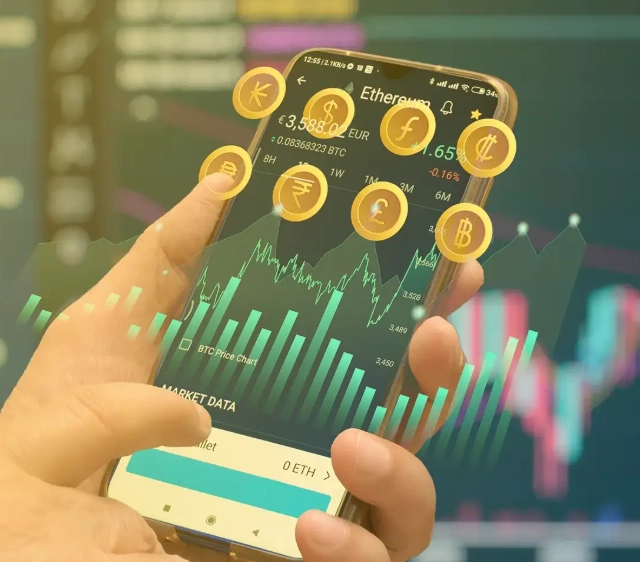
How to Choose Your Tracker: A Simple Decision Framework
Don't just pick the one with the most ads. Ask yourself these questions:
- Where are most of my assets? If you're 90% on Coinbase and Kraken, almost any tracker works. If you're deep in DeFi on Arbitrum or Solana, you need robust wallet/DeFi support.
- What's my primary goal? Is it tax prep (prioritize tax features), day-to-day monitoring (prioritize UX and speed), or advanced DeFi management (prioritize protocol integration)?
- What's my budget? Trackers range from free (with limits) to $50+/month. Your portfolio size and needs dictate this. Paying $20 a month to perfectly manage a $100,000 portfolio is a no-brainer.
Top Trackers Reviewed: Strengths, Weaknesses & Best For
Based on hands-on testing and community consensus, here's a breakdown of the leading contenders.
| Tracker | Best For | Key Strength | Potential Drawback | Pricing Tier |
|---|---|---|---|---|
| CoinTracker | Tax-Focused Investors | Unbeatable tax report integration. Very intuitive for basic portfolio tracking. Official partners with major exchanges. | Advanced DeFi tracking can get expensive. Some users report sync delays with high-frequency trading. | Free for |
| Koinly | A Balance of Tax & Tracking | Excellent, detailed tax previews before paying. Supports a massive number of exchanges and blockchains. Great cost-basis reporting. | The interface feels a bit more "spreadsheet-y" and less polished than some competitors. | Free portfolio tracking. Tax reports from $49/year. |
| CoinStats | Active Traders & Daily Monitors | Best-in-class mobile app experience. Clean, fast UI. Strong news aggregation and direct trading links from the app. | Tax features are an add-on, not as deeply integrated as dedicated tax tools. Some advanced metrics are paywalled. | Freemium model. Premium plans from $9.99/month. |
| Delta | Cross-Asset Investors (Stocks & Crypto) | Tracks stocks, ETFs, and crypto in one place. Beautiful, widget-friendly design. Good for macro portfolio view. | Crypto-specific features, especially for complex DeFi, are not as deep as crypto-native trackers. | Free basic plan. Premium at $74.99/year. |
| Zapper.fi or DeBank | DeFi Degens & Power Users | Real-time, granular tracking of DeFi positions across chains. Shows health factors, APY, and pool composition. Free to use. | Not designed for centralized exchange tracking or tax reporting. Purely a DeFi dashboard. | Free |
My personal stack? I use Koinly as my source of truth for taxes and historical tracking, and I keep CoinStats open daily for its clean interface and quick checks. For deep DeFi dives, I pop into Zapper.
Pro Tips for Setup & Avoiding Common Pitfalls
Setting it up wrong will give you garbage data. Here's how to do it right.
1. Start with Historical Data, Not Just Today. This is the #1 mistake. When you connect an exchange via API, it often only pulls in your current holdings. You must manually import your full transaction history via CSV file from the exchange. It's tedious, but it's the only way to get accurate cost basis and performance charts.
2. Label Your Wallets. Your tracker will list addresses like "0x7a3...1bc4." Immediately rename them to "Ledger - ETH Mainnet" or "Metamask - Polygon." Future-you will be grateful.
3. Don't Ignore Small Transfers & Gas Fees. That $5 transfer to a new wallet and the $10 in ETH spent on gas? They're taxable events in many jurisdictions. Make sure your tracker is recording them. Most do this automatically from blockchain data.
4. Schedule a Weekly Reconciliation. Every Sunday, spend 5 minutes glancing at your tracker total versus a mental sum of your accounts. If something's off by more than a rounding error, investigate. Usually, it's a failed API sync or a new wallet you forgot to add.
Your Burning Questions Answered
Is it safe to connect my exchange API keys to a portfolio tracker?
My portfolio tracker shows a different total value than my exchange. Which one is right?
What's the biggest mistake beginners make when setting up a crypto tracker?
Can a portfolio tracker help with DeFi and NFTs, or just exchange coins?
The bottom line is this: managing crypto without a portfolio tracker is like driving with a blindfold on. You might know you're moving, but you have no idea your speed, direction, or how close you are to the edge. The small investment of time and money in setting up a proper tracker pays for itself in reduced stress, optimized taxes, and smarter investment decisions. Pick one from the list above, commit to the initial setup grind, and never look at your investments in fragments again.
Reader Comments